Getting Started with Apollo Studio
Apollo Studio is a GraphQL IDE that enables you to explore the VO API. It's an ideal tool for delving into the schema, building and running queries, as well as referencing the documentation.
Prerequisites
Before using Apollo Studio, you need to:
- Be onboarded as a platform user
- Have the
tools.apiExplorer.accessrole assigned to your user account
Accessing Apollo Studio
To access Apollo Studio:
- Sign in to Composer
- Open the navigation menu and expand Resources
- Select Apollo Studio
The Apollo Studio menu item is only visible if the user has the tools.apiExplorer.access role assigned.
Authentication
Apollo Studio runs inside Composer and authenticates as your signed-in user. Query and mutation operations are authorised automatically — there are no connection settings to configure.
Your access is governed by the tools.apiExplorer.access role. If the role is not assigned, the Apollo Studio menu item is not shown.
Basic usage
- Navigate the schema and select operations, types, and fields using the Documentation tab in the Explorer view.
- Define operation variables through the Variables tab.
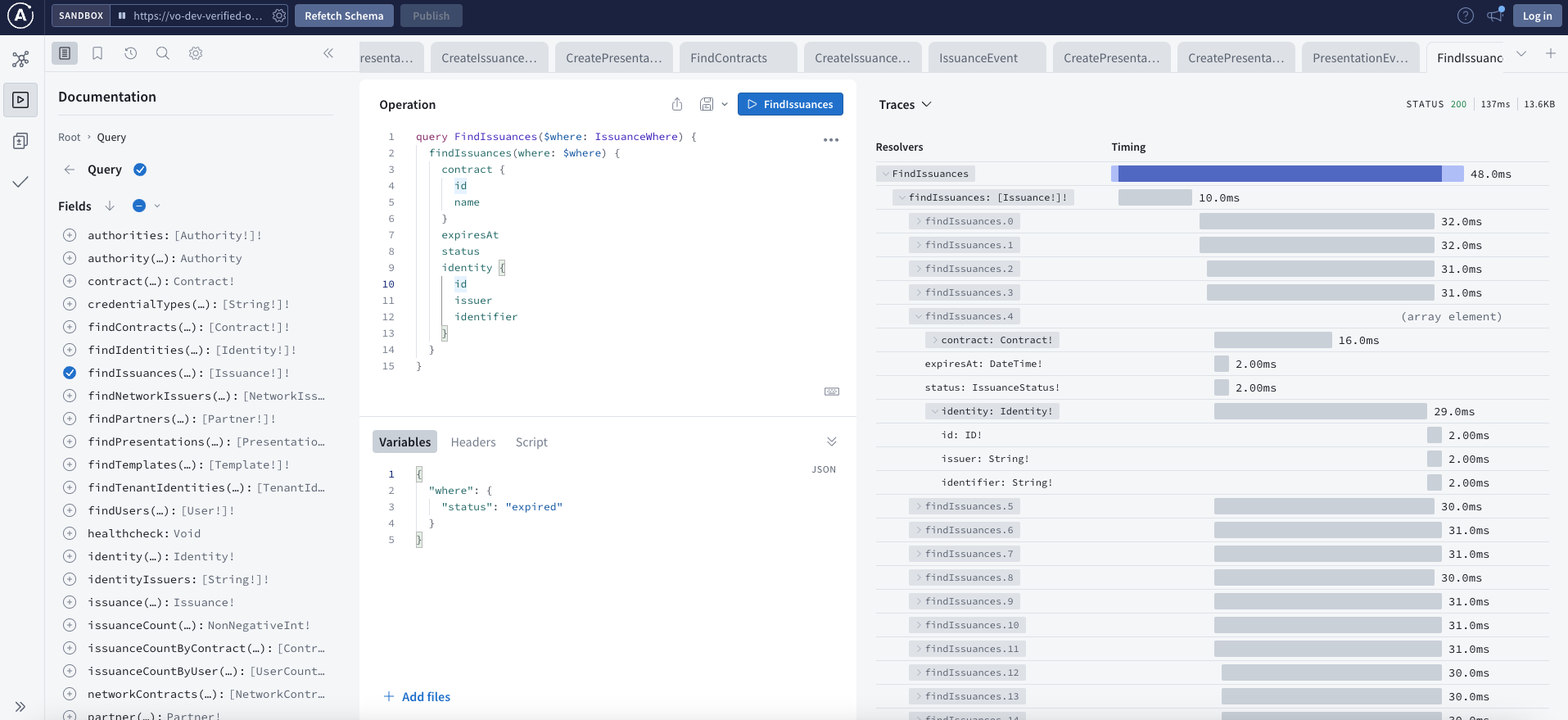
- Utilize the Traces view to gauge the performance of your query.
- Generate a link to an operation definition using the Share button.
- Export data in JSON or CSV format.
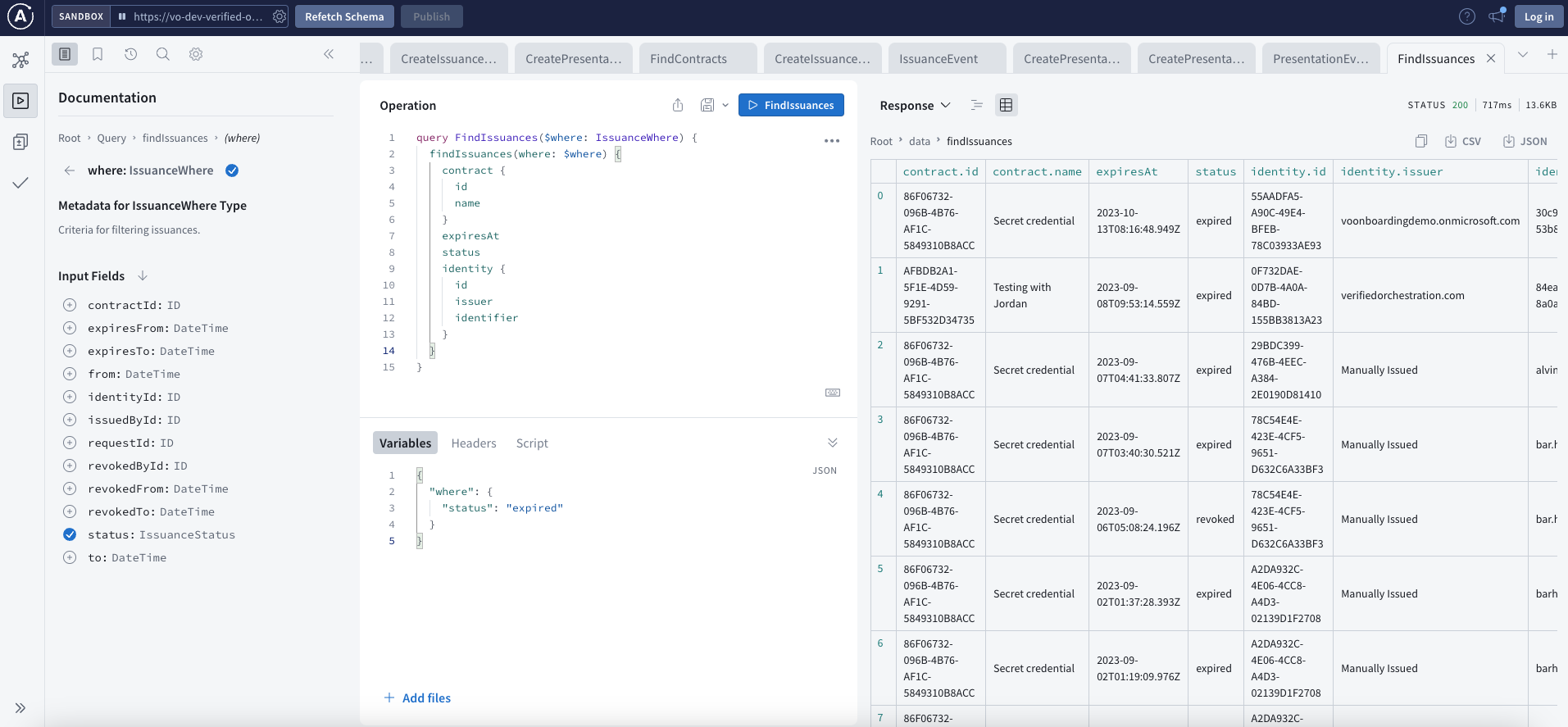
Building and executing operations
Queries and mutations
- Type your query or mutation in the editor panel
- Add any required variables in the Variables panel (JSON format)
- Click the Run button or press
Ctrl+Enter(Mac:Cmd+Enter) - View the response in the right panel
Example query to find presentations:
query FindPresentations {
  findPresentations {
    id
    receipt
    presentedAt
  }
}
Subscriptions
Subscriptions require an additional authorization header since they use WebSocket connections which do not include cookies.
To set up subscriptions:
- Copy an Authorization header value from Composer using your browser dev tools
- In Apollo Studio, open Connection settings
- Insert the Authorization header into the Headers section
You can now subscribe to events and see event data.
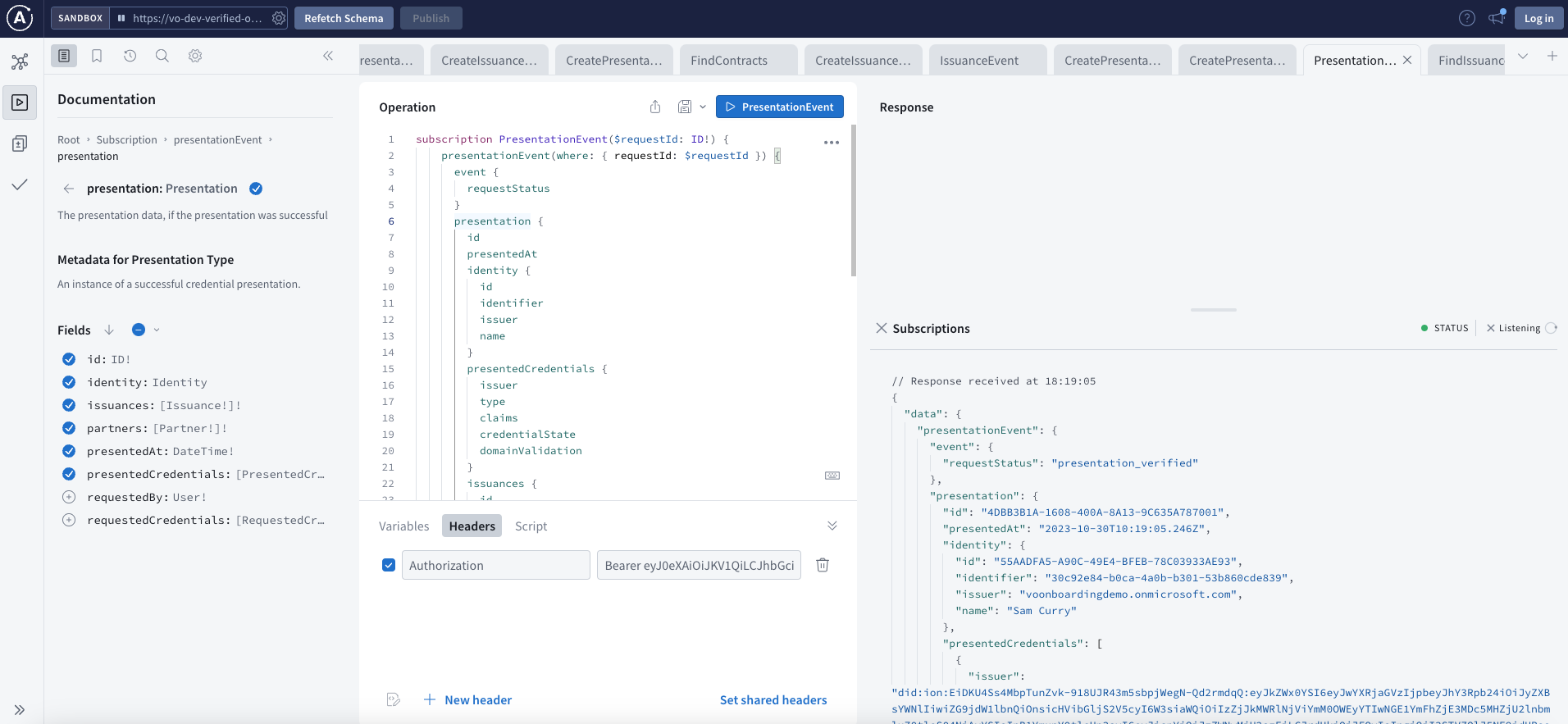
Request tracing
Apollo Studio displays detailed timing information for each request. Utilize the Traces view to gauge the performance of your query.
Session duration
Query and mutation operations acquire a fresh access token for each request, so they keep working for as long as you remain signed in to Composer.
Subscriptions use the authorisation header you supplied when the connection was opened. Access tokens are typically valid for approximately 50 minutes, subject to your tenant configuration, so if a subscription stops receiving events, reload the page and supply a current header.
Troubleshooting
Apollo Studio does not finish loading
Apollo Studio runs as an explorer hosted by Apollo and embedded in Composer. Browser tracking protection and privacy extensions can block the scripts that explorer depends on, which leaves it loading indefinitely.
This is most often seen in Firefox, whose Strict tracking protection blocks tracking content in all windows. Chrome and Edge are not affected by default. If Composer itself loads normally, the same account works in another browser, and Composer shows a warning that Apollo Studio is taking longer than expected, then the cause is browser-side rather than a problem with your access.
To resolve it:
- Select the shield icon in the address bar and choose Turn off protections for this site, then reload the page
- If that does not help, disable browser extensions for the page — ad and tracker blockers are the usual cause
- Otherwise, open Composer in Chrome or Edge
Nothing is lost by switching browsers. Operations are authorised by your Composer session either way.
Console warnings about rejected AMP_ cookies, or an engagement SDK failing to load, come from the embedded explorer's own analytics. They appear in any browser that restricts third-party cookies and do not affect your ability to run operations.
Access denied when opening Apollo Studio directly
Browsing to the API's /graphql endpoint does not serve Apollo Studio. Open it from Composer under Resources instead, as described in Accessing Apollo Studio. Update any bookmarks that point at the API host directly.
Next steps
- Integration Overview - Learn about different integration options
- JavaScript Client - Set up a JavaScript client for your application
- React with Apollo - Integrate with a React application